
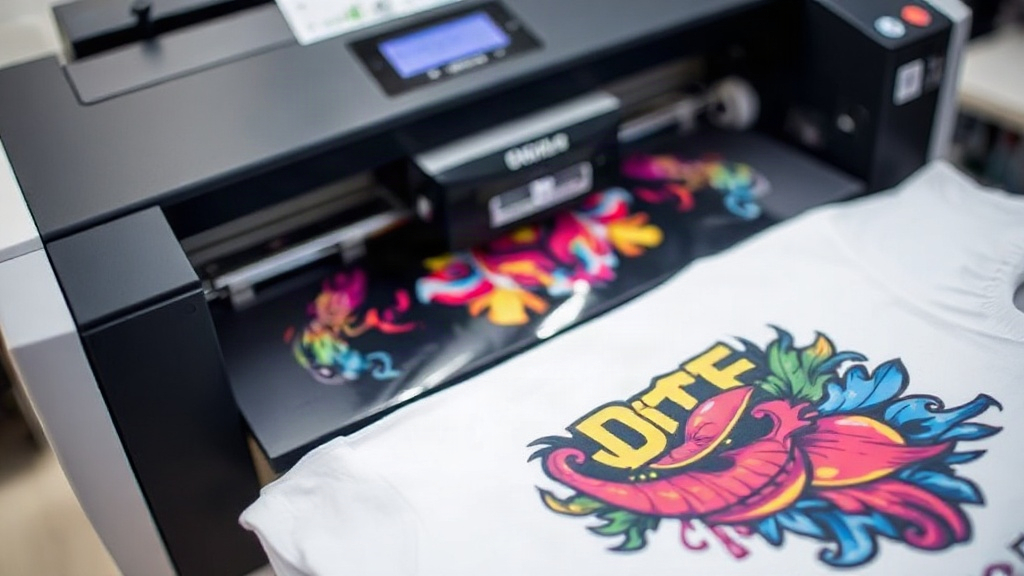
If you've been exploring custom apparel printing, you've likely encountered DTF printing. Short for Direct-to-Film, this method has quickly become a favorite among hobbyists and small business owners for its versatility and vibrant results. Unlike other printing techniques that require specific fabrics or extensive setup, DTF printing offers a straightforward way to transfer detailed designs onto a wide range of materials. In this guide, we'll walk you through the essentials of DTF printing, from the basic process to practical tips for achieving professional-quality prints.
What is DTF Printing?
DTF printing is a digital printing technology where your design is printed onto a special film, coated with a powder adhesive, and then heat-pressed onto the fabric. This process eliminates the need for cutting or weeding, making it incredibly efficient for complex designs with multiple colors. The result is a soft, stretchable print that adheres well to cotton, polyester, blends, and even some non-fabric surfaces like leather or canvas.
How Does the DTF Process Work?
The DTF workflow involves several key steps:
- Design Preparation: Your artwork is prepared digitally, ensuring it's mirrored and sized correctly.
- Printing: A specialized DTF printer lays down white ink as a base, followed by CMYK colors, onto a PET film.
- Powdering: While the ink is still wet, a hot-melt adhesive powder is applied evenly over the print.
- Curing: The film is heated to melt the powder, creating a dry, stable transfer.
- Heat Pressing: The transfer is placed on the fabric and pressed with heat and pressure to bond permanently.
Why Choose DTF Printing?
There are several reasons why DTF printing stands out:
- No Weeding Required: Unlike vinyl cutting, DTF doesn't require manual weeding, saving time and reducing waste.
- Works on Many Fabrics: It adheres to cotton, polyester, blends, and more, without the need for pre-treatment.
- Vibrant Colors: The white ink base ensures bright, opaque colors even on dark garments.
- Durability: When applied correctly, DTF prints withstand repeated washing without cracking or fading.
- Cost-Effective for Small Runs: It's ideal for one-off designs or small batches, as there are no minimum order quantities.
Getting Started with DTF Printing
If you're ready to dive into DTF printing, here's what you'll need:
- DTF Printer: Models range from entry-level to industrial. For beginners, a desktop DTF printer like the popular Epson conversion kits is a good start.
- DTF Inks: Specifically formulated pigment inks for DTF printing.
- PET Film: Available in rolls or sheets; choose the right thickness for your design.
- Adhesive Powder: Typically TPU-based, available in fine or coarse grades.
- Heat Press: A reliable heat press capable of reaching 325°F (160°C) and applying even pressure.
- Design Software: Any graphic design software (e.g., Photoshop, Illustrator) to create your artwork.
Step-by-Step DTF Printing at Home
Here's a simplified process for home-based DTF printing:
- Create Your Design: Use software to design your artwork. Remember to mirror the image before printing.
- Print on Film: Load the PET film into your DTF printer and print. Ensure the printer is set to the correct ink settings.
- Apply Powder: While the ink is wet, sprinkle the adhesive powder evenly over the print. Shake off excess.
- Cure the Powder: Place the film in a curing oven or under a heat gun until the powder melts and becomes glossy.
- Heat Press: Set your heat press to 325°F (160°C) and medium pressure. Press the transfer onto the fabric for 15-20 seconds.
- Peel: Wait for the transfer to cool completely (cold peel) before removing the film. This ensures the print adheres properly.
Tips for Successful DTF Printing
To get the best results, keep these tips in mind:
- Test Your Settings: Each printer and fabric may require slight adjustments in temperature, pressure, and time. Always do a test press.
- Store Materials Properly: Keep PET film and powder in a cool, dry place to prevent moisture damage.
- Use Quality Inks: Cheap inks can clog printheads and produce dull colors. Invest in reputable DTF ink brands.
- Maintain Your Printer: Regular cleaning and maintenance will extend the life of your DTF printer and ensure consistent output.
- Practice Design Placement: For apparel, consider the fabric's stretch and the design's orientation for a professional look.
Common Applications of DTF Printing
DTF printing is incredibly versatile. Here are some popular uses:
- Custom T-Shirts: Perfect for personalized gifts, team uniforms, or merchandise.
- Hoodies and Sweatshirts: The stretchable print moves with the fabric, ideal for activewear.
- Tote Bags: Add vibrant designs to canvas bags without the limitations of other methods.
- Denim Jackets: Create unique, detailed patches or all-over prints.
- Sportswear: Because DTF prints are flexible, they're great for jerseys and leggings.
DTF vs. Other Printing Methods
How does DTF compare to DTG (Direct-to-Garment) or screen printing?
- DTF vs. DTG: DTG requires pre-treatment and works best on 100% cotton. DTF adheres to more fabrics and often produces more vibrant colors on dark shirts.
- DTF vs. Screen Printing: Screen printing is cost-effective for large orders but requires setup per color. DTF excels for small batches and complex designs without setup fees.
- DTF vs. Vinyl: Vinyl requires weeding and layering, which is time-consuming. DTF transfers are printed in one go and can handle intricate details.
Frequently Asked Questions About DTF Printing
What fabrics can I use with DTF printing?
DTF printing works on a wide range of fabrics, including cotton, polyester, cotton-poly blends, and even some synthetic materials like nylon. It also adheres to non-fabric items like leather, canvas, and wood, as long as the surface can withstand heat pressing.
How long do DTF prints last?
When properly applied and cared for, DTF prints can last as long as the garment itself. They resist cracking, peeling, and fading through multiple washes. To maximize longevity, wash garments inside out in cold water and avoid using bleach or fabric softeners.
Do I need special software for DTF printing?
No specialized software is required. You can use any graphic design program like Adobe Photoshop, Illustrator, or free alternatives like GIMP or Inkscape. The key is to ensure your design is high-resolution and mirrored before printing.
Can I use DTF printing for small business?
Absolutely. DTF printing is ideal for small businesses because it allows for on-demand production without minimum order quantities. You can offer custom apparel with unique designs, and the low startup cost makes it accessible for home-based entrepreneurs.
What is the cost of starting DTF printing?
Startup costs vary depending on the equipment. A basic DTF printer can cost around $1,500 to $3,000, plus supplies like film, powder, and ink. However, you can start with a converted Epson printer for under $1,000. Consider your production volume and budget to choose the right setup.
Final Thoughts
DTF printing opens up a world of possibilities for custom apparel. Its ability to produce vibrant, durable prints on diverse fabrics with minimal setup makes it a game-changer for creators and small businesses. By following the steps and tips outlined here, you can achieve professional results from the comfort of your home. Remember, practice makes perfect, so don't be afraid to experiment with different designs and materials. Happy printing!