
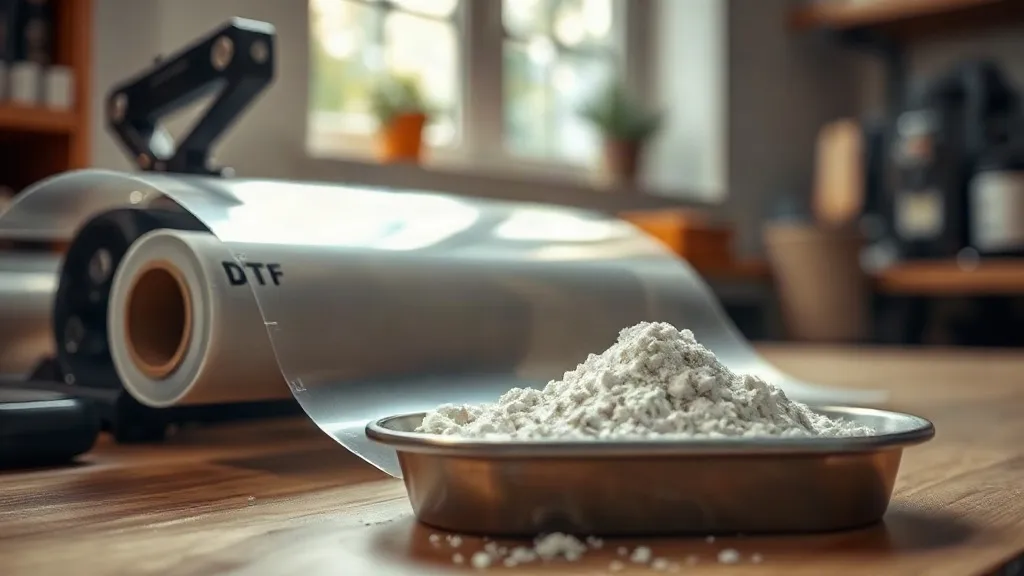
When a dtf transfers print fails, the first suspects are usually the press or the ink. But in my years running a small print shop, I've learned that the film and powder you choose can quietly sabotage even the most carefully pressed job. I've seen prints that looked perfect on the press crack after two washes, and I've traced the problem back to a mismatched film thickness or a powder that was too coarse for the design. So let's talk about the two materials that rarely get the spotlight but decide whether your print survives its first trip through the laundry.
Why Film and Powder Matter More Than You Think
DTF printing is a chain of dependencies. The ink must release cleanly from the film, the powder must melt into a flexible adhesive layer, and that layer must bond to the fabric without stiffening it. Each link in that chain has its own tolerances. Film thickness affects how much heat reaches the ink and how easily the print releases during peeling. Powder particle size determines how evenly the adhesive melts and how well it anchors to the fabric. Get either wrong, and you'll see the symptoms: incomplete transfers, patchy adhesion, or a print that feels like a plastic sheet.
I once switched to a cheaper film to cut costs, and within a week I had a batch of hoodies where the white ink layer cracked along every fold. The film was too thin and couldn't hold enough powder, so the adhesive layer was starved. That experience taught me to treat film and powder as a system, not as interchangeable commodities.
Understanding PET Film: Thickness and Coating
DTF film is typically made of PET (polyethylene terephthalate), and it comes in a few thicknesses, usually measured in microns. The most common range is 75 to 100 microns, but you'll also see thinner films around 50 microns and thicker ones up to 125 microns. Thinner films are more flexible and conform better to textured fabrics, but they can be trickier to handle and may not hold as much powder. Thicker films provide a more stable base for heavy ink loads, which is why they're popular for bold, high-coverage designs.
The coating on the film is equally important. A good release coating allows the ink to transfer cleanly without leaving residue. If the coating is inconsistent, you'll get spots where the ink sticks to the film and tears away from the fabric. I always test a new roll by printing a solid block of white and checking for pinholes after transfer. If I see more than a couple of tiny voids, the roll goes back.
Matte vs. Glossy Film
Matte film has a slightly textured surface that grips the powder better, which can reduce waste during shaking. Glossy film, on the other hand, tends to release ink more cleanly and is often preferred for fine details. In my shop, I keep both on hand: matte for designs with large solid areas, glossy for intricate linework. The difference is subtle, but it shows up in the final print.
Adhesive Powder: Particle Size and Chemistry
DTF powder is a thermoplastic polyurethane (TPU) that melts under heat and bonds to fabric. It comes in different particle sizes, typically classified as fine, medium, and coarse. Fine powder (around 80-120 microns) melts quickly and creates a smooth, thin adhesive layer, which is ideal for lightweight fabrics and detailed prints. Medium powder (120-200 microns) is the all-rounder for most cotton and poly blends. Coarse powder (200+ microns) is best for heavy fabrics like canvas or denim, where you need a thicker bond to handle abrasion.
But particle size isn't the only factor. The chemistry of the TPU matters too. Some powders are formulated for low-temperature melting, which is great for heat-sensitive fabrics like nylon or spandex. Others are designed for high durability and wash resistance, but they require higher pressing temperatures. I learned this the hard way when I used a low-melt powder on a batch of polyester performance shirts. The powder melted at 280°F, but the polyester needed 320°F for the ink to release properly. The result was a gooey mess that never fully cured.
How to Match Powder to Fabric
Start by checking the fabric content. For 100% cotton, a medium powder with a standard melting point works well. For poly blends, look for a powder that melts at a lower temperature to avoid dye migration. For stretchy fabrics, choose a powder with high elasticity to prevent cracking when the garment stretches. And always run a test print on a scrap piece of the actual fabric before committing to a full batch.
Common Film and Powder Mistakes (and How to Avoid Them)
Even experienced operators slip up. Here are the mistakes I see most often, and what to do instead:
- Using the wrong side of the film. DTF film has a coated side and a non-coated side. Printing on the wrong side means the ink won't release. Always check for the matte or slightly tacky side; that's the printable one.
- Over-powdering. It's tempting to dump a thick layer of powder to ensure full coverage, but excess powder creates a stiff, crusty print and wastes material. Shake off the excess gently and aim for a thin, even coat.
- Under-powdering. The opposite problem: if you can see bare ink spots after shaking, the adhesive layer will be weak. Use a powder shaker with a fine mesh to distribute evenly, and always check under good lighting.
- Storing film in humid conditions. PET film absorbs moisture, which can cause the ink to smear during printing and the powder to clump. Keep film in a sealed bag with a desiccant pack.
- Mixing powder brands. Different manufacturers use different TPU formulations. Mixing them can lead to inconsistent melting and adhesion. Stick to one brand per batch, and if you switch, recalibrate your press settings.
I keep a log of every film and powder combination I use, along with the press settings and wash test results. That log has saved me from repeating mistakes more times than I can count.
Testing Your Film and Powder Combination
Before you commit to a new film or powder, run a simple test. Print a design that includes fine lines, solid areas, and text. Press it onto a scrap of the intended fabric using your standard settings. Then do a wash test: machine wash cold, tumble dry low, and inspect. A good combination will show no cracking, peeling, or fading after five washes. If you see issues, adjust one variable at a time, starting with powder coverage and then press temperature.
If you're sourcing dtf transfers near me, ask the supplier about their film and powder specs. A reputable supplier will know the melting point of their powder and the thickness of their film, and they'll be able to recommend a combination for your fabric types. Don't be afraid to request samples before placing a bulk order.
Frequently Asked Questions
Can I use the same powder for all fabrics?
Not ideally. While a medium powder can work on many fabrics, you'll get better results by matching powder to fabric weight and stretch. For heavy fabrics, use a coarser powder; for lightweight or stretchy fabrics, use a finer, more elastic powder.
How do I know if my film is expired?
PET film doesn't have a strict expiration date, but it can degrade if exposed to moisture or sunlight. Signs of degradation include a wavy texture, a cloudy appearance, or difficulty releasing ink. If your prints start showing pinholes or incomplete transfers, try a fresh roll.
What's the best way to store powder?
Keep powder in an airtight container in a cool, dry place. Humidity causes clumping, which leads to uneven melting. I transfer my powder to a sealed jar with a silica gel pack and label it with the date of purchase.
Can I reuse excess powder?
Yes, but only if it's clean. Sweep up powder that hasn't touched ink or film and sift it through a fine mesh to remove debris. Powder that has been contaminated with ink or dust should be discarded, as it can cause spots in future prints.
Why does my print feel stiff after using a certain powder?
Stiffness usually comes from too much powder or a powder with a high melting point that doesn't fully fuse. Try reducing the powder coverage and ensuring your press reaches the recommended temperature for that powder. Also check that you're using the correct side of the film; printing on the wrong side can leave excess powder on the surface.